

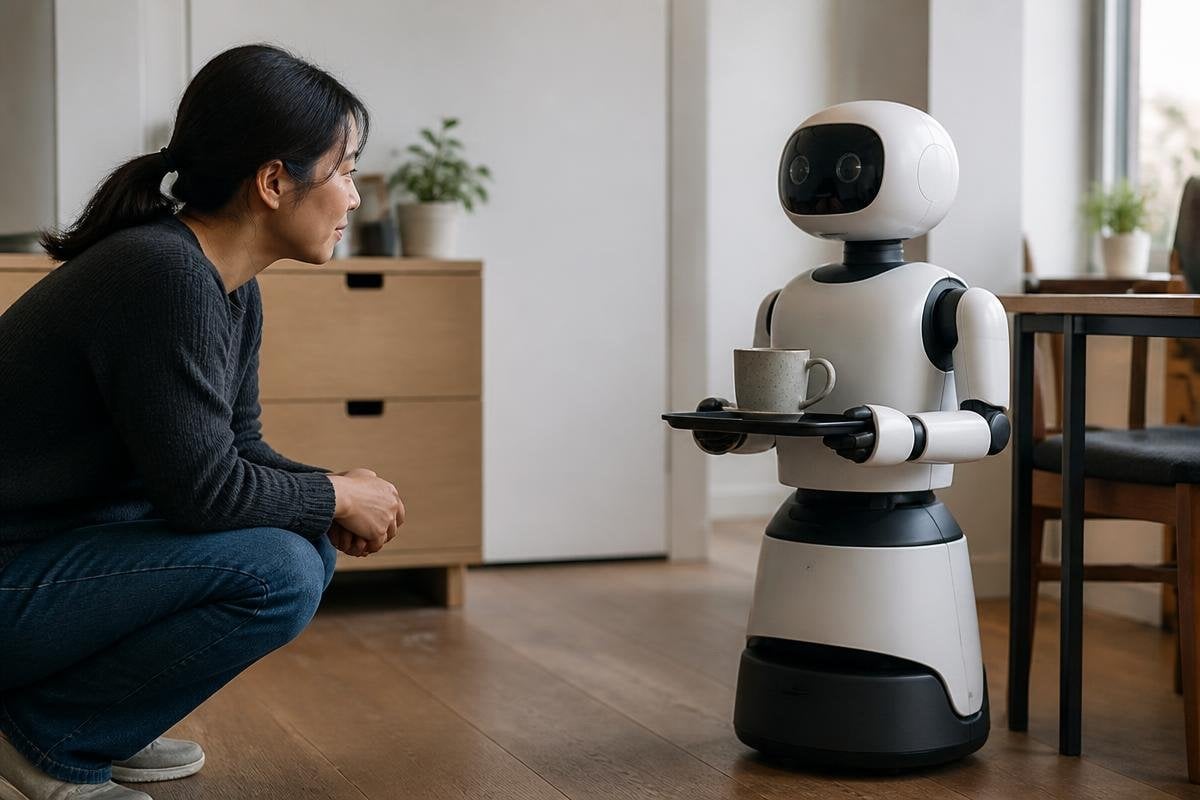
A face, voice, or pair of hands can change how people act around a machine. The odd part is that the machine may have no feelings, yet people still read meaning into its pauses, movements, and mistakes.
- Humanlike shape can change trust before a machine proves what it can do.
- A voice and face make errors feel social rather than mechanical.
- The more a machine resembles a person, the more its limits may matter.
Shape changes the job in your head
A box on wheels looks like equipment. Add eyes, a head, or arms, and people may treat the same task as an interaction with an agent. An agent is something that appears to act with a purpose, even when software controls every move.
That shift can happen before the machine speaks. A head that turns toward you may feel like attention. A hand that reaches for an object may feel like intent. The hardware has gained no new thought, but the person watching it may assign thought to the motion.
This matters in homes, hospitals, shops, and workplaces. A person deciding whether to follow a robot’s instruction may judge its face and voice before checking its record.
That can help people understand a warning, but it can also make a weak system seem more capable than it is.
Voices and pauses carry meaning
People read timing closely. An instant reply can feel cold or mechanical. A short pause can sound careful, even when it only marks the time needed to process audio.
The same issue appears with tone. A warm voice may make a request easier to accept, while a flat voice may make a safe instruction seem harsh. Those reactions can change cooperation without changing the robot’s actual ability.
Designers therefore face a narrow target. A machine needs enough human signals for people to understand its actions. Too many signals can create expectations the system cannot meet. A face that looks attentive may lead someone to expect memory, concern, or good judgment.
The awkward gap between appearance and ability
The strongest discomfort often comes from a mismatch. A robot may have a face that suggests a person, then move with stiff timing or fail at a basic task. The viewer has to switch between reading a social character and inspecting a machine.
This is often called the uncanny valley. The term describes a drop in comfort when a machine looks close to human but still shows visible signs that it is artificial. The phrase is useful, but it doesn’t predict every reaction. Culture, age, past experience, and the task itself can change how a person responds.
For medication reminders, the machine may need a calm voice and clear status lights. A factory arm may work better when its movement shows only the information a worker needs. Human likeness has a cost when it makes the machine harder to read.
A humanlike machine may earn trust from its voice or face before it proves that it can do the job. Robot24.com’s coverage of human-robot interaction gives you a place to compare that first impression with reported tests and real machine limits.
Trust can rise before skill does
People often judge a machine through small social signals: eye contact, polite wording, a pause before an answer, or an apology after an error. These signals can make use feel easier, but they don’t prove that the robot understands the situation.
That gap matters most when a machine gives advice or controls access to something important. A person may accept a request because the robot sounds sure, even if its sensors have missed a person, object, or change in the room. The safer design gives a clear reason, a visible status, and an easy way to stop the action.
I’d trust a plain machine with clear limits before a humanlike one that hides its uncertainty. That judgment follows the task: appearance should help people read the system, not make a weak system seem wise.
A practical way to judge the reaction
Before adding a face, voice, or human-style movement, check the job the machine must do. These points keep the design tied to what people need:
- Name the task: Decide whether the machine must move objects, give instructions, watch a space, or hold a conversation.
- Show the limit: Make errors, sensor loss, and manual control easy to see.
- Match the signal: Use a voice, light, or movement only when it explains the next action.
- Test the expectation: Ask people what they think the machine can remember, notice, or decide.
- Keep control close: Give workers and users a clear stop button or handoff method.
The next test for humanlike machines is not whether people react to them. They already do. The useful question is whether the design helps people judge the machine correctly when it pauses, fails, or asks them to act.
